Please try the following solutions:
- Please do a factory reset to see if that solves the problem: hold Fn+Z+J for 4 seconds.
- Please try to factory reset your keyboard by flashing the firmware. (How to Factory Reset or Flash Firmware for Your Keychron Q2 keyboard?)
- Have you set any hotkeys/special key swapping in the computer system? Or have you used other third-party software to remap the keys (like iCUE)? Please check again and test whether the keys work properly on a different computer.
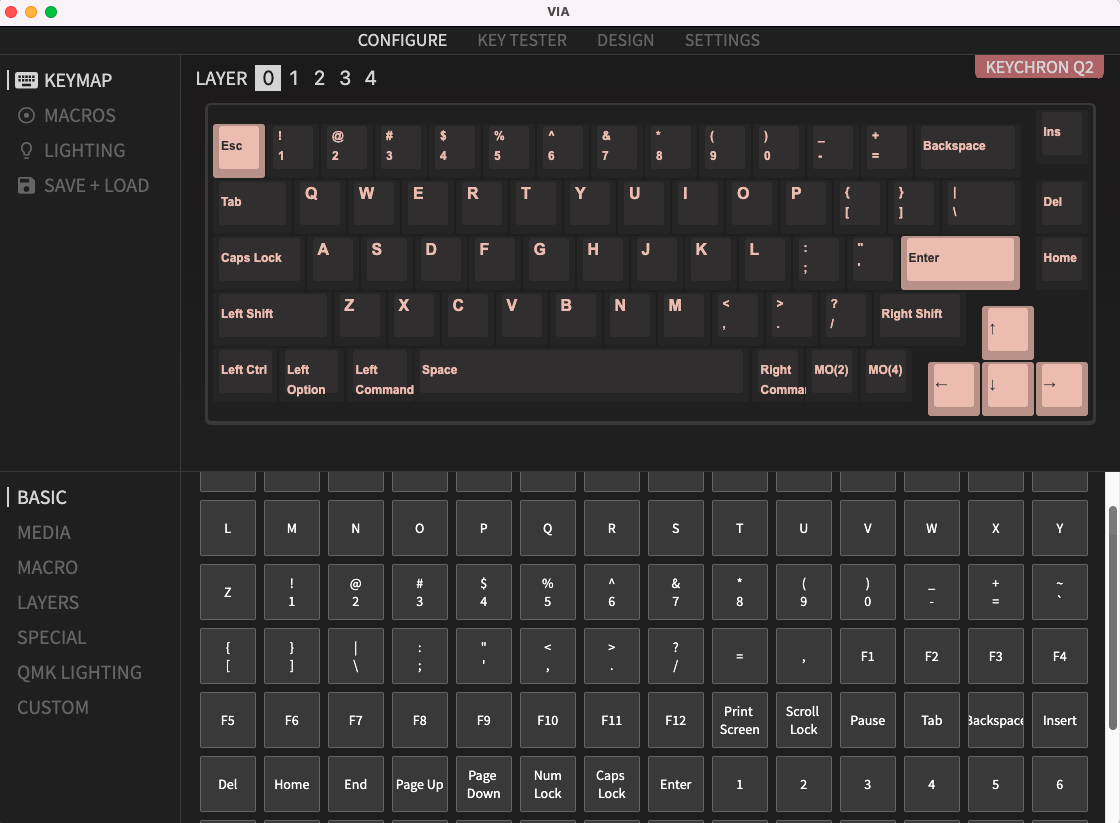
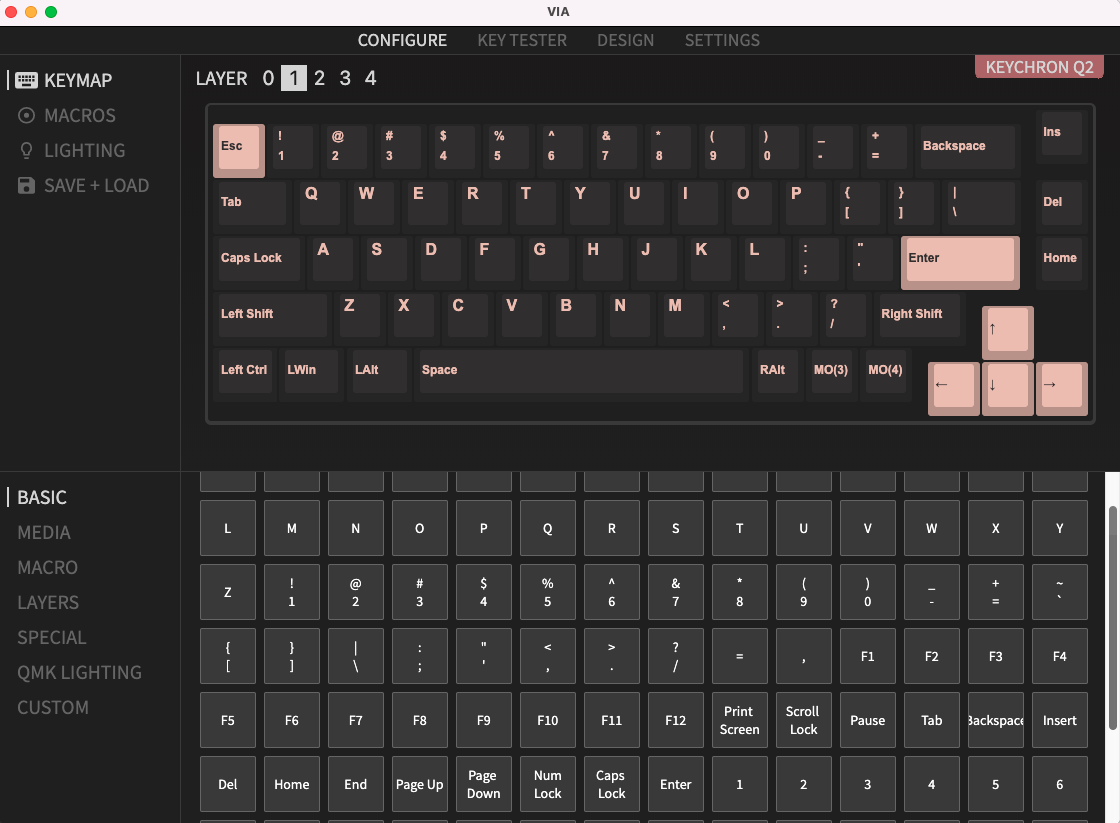
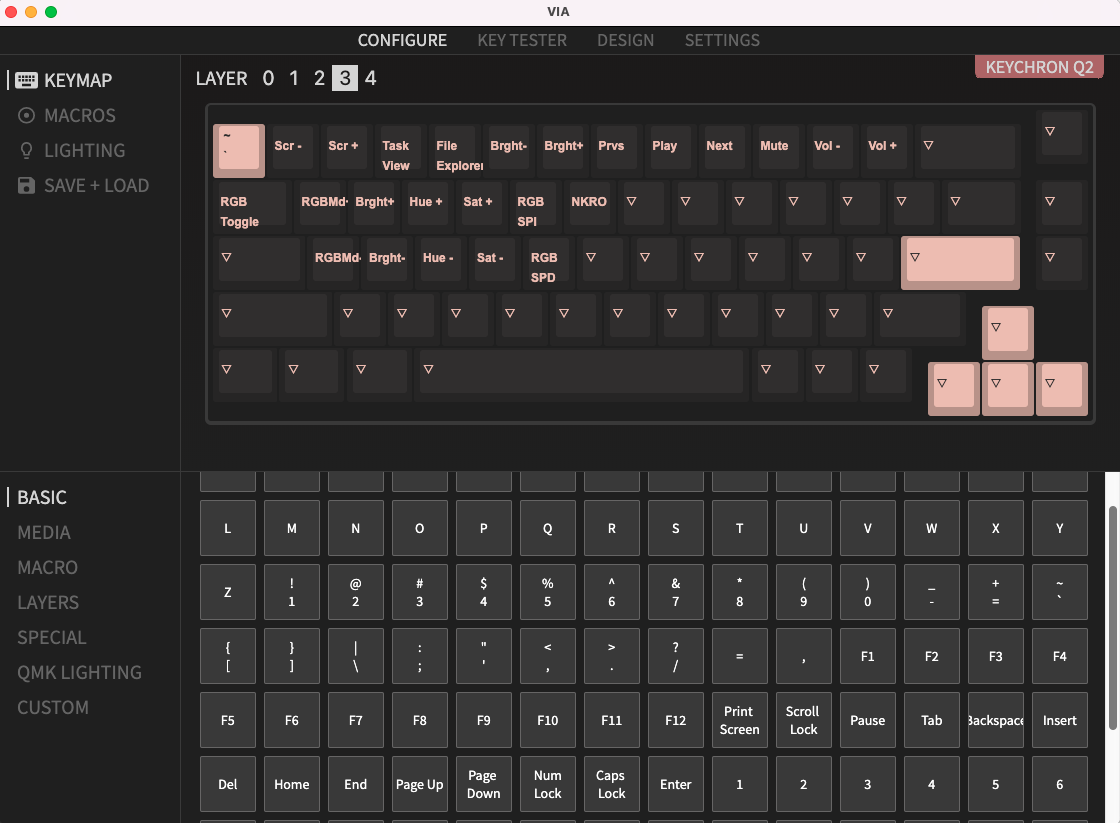
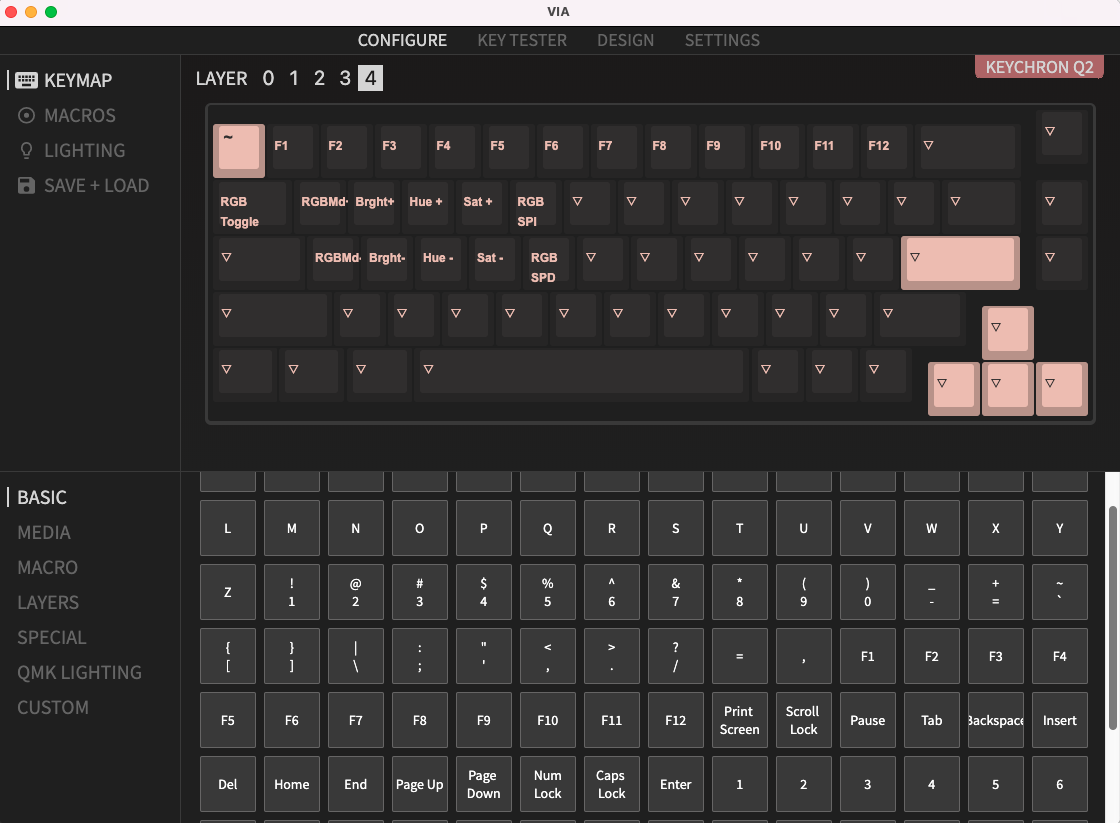
- Please open VIA, and take screenshots of the four layers (layer 0/1/2/3). You can contact us at support@keychron.com with the screenshots attached. We will check the key layout on VIA and help you with the problem. (How To Use VIA To Pair With Keychron Q Series Keyboard)
Examples of each layer: